Admin Dashboard
It is the central control panel, all the data related to room assignments, staff management, child reports and subscriptions is available here.
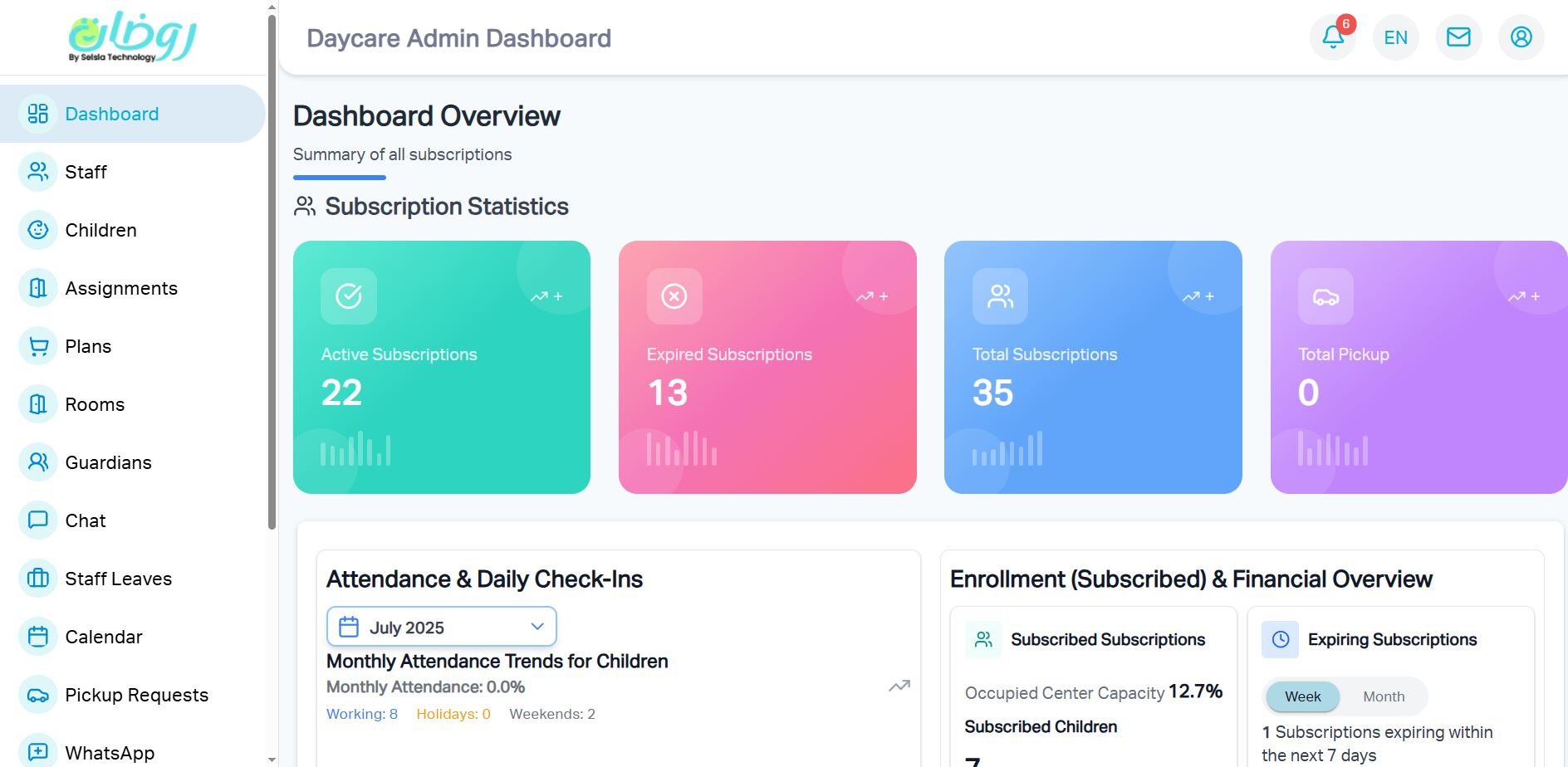
Real-time Analytics
Live data visualization of critical metrics
Staff Management
Complete control over staff assignments
Comprehensive Reports
Generate detailed insights and analytics
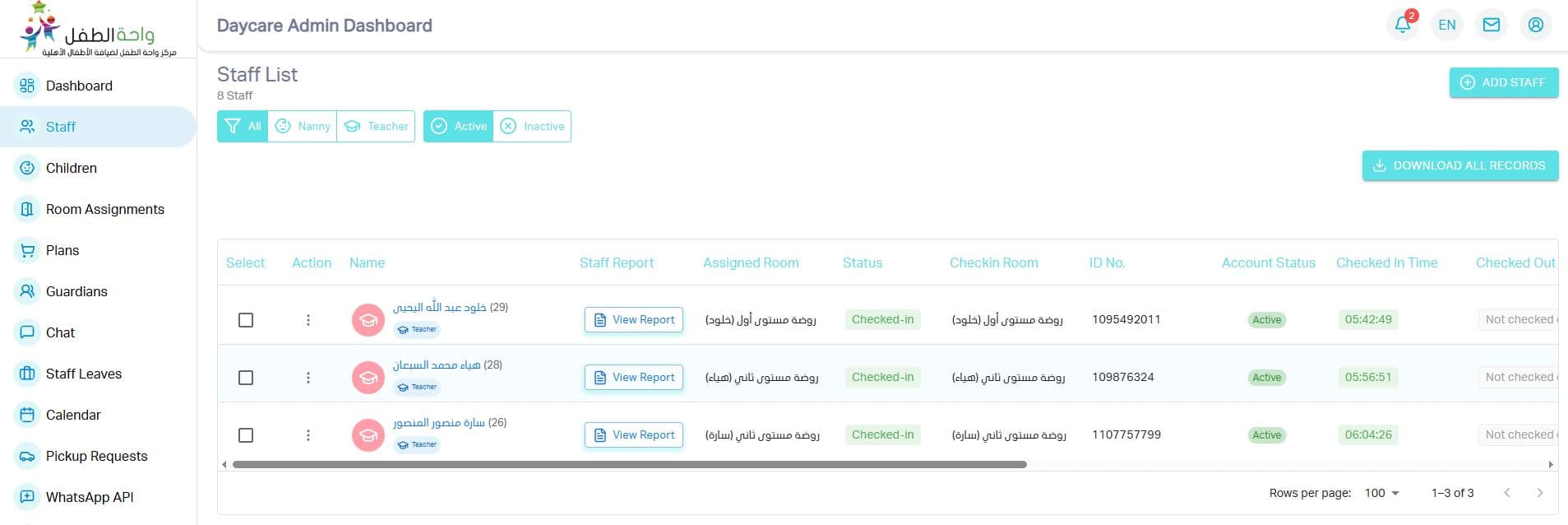
Staff Management
Streamline daily operations with our intuitive staff management portal.
Profiles
Complete staff profiles
Scheduling
Visual shift calendar
Analytics
Performance metrics
Roles
Permission levels
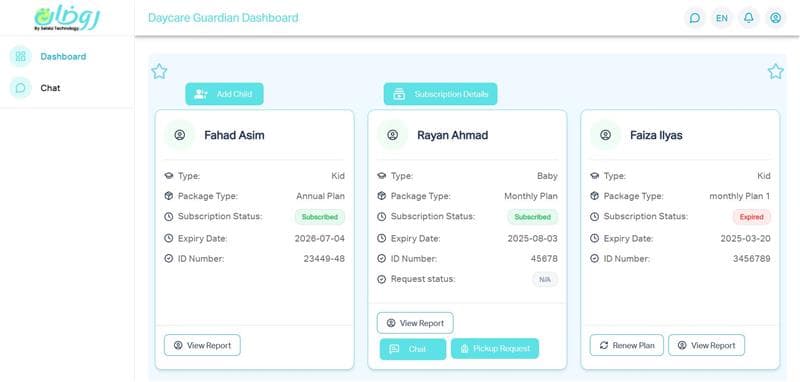
Guardian Dashboard
Real-time visibility into your child's well-being and development.
Updates
Daily activity reports
Health
Wellness tracking
Progress
Educational milestones
Alerts
Instant notifications
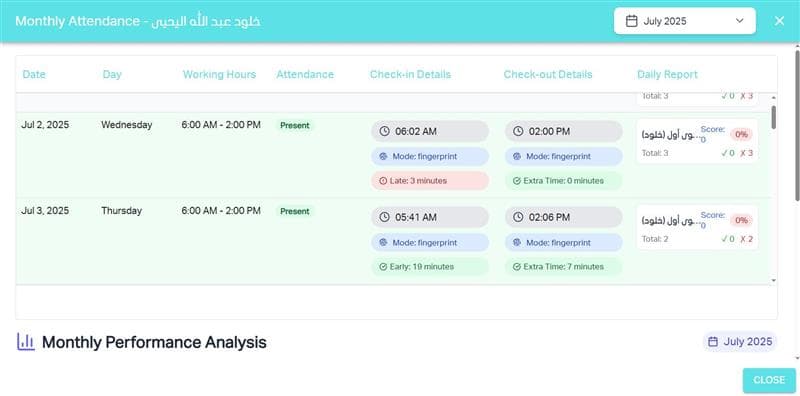
Attendance System
Real-time tracking and instant updates for children and staff.
Check-ins
Instant notifications
Alerts
Late arrivals tracking
Trends
Attendance analytics
Reports
Visual summaries
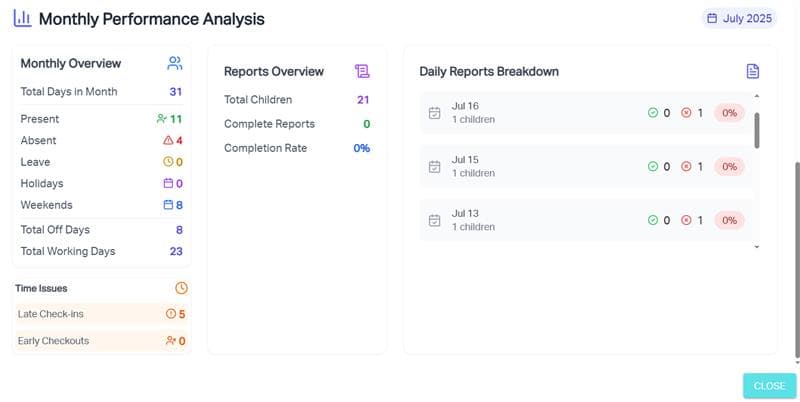
Comprehensive Reports
Detailed reports to help you stay informed and organized.
Daily
Staff and children reports
Classrooms
Utilization summaries
Plans
Subscription details
Export
Downloadable PDFs
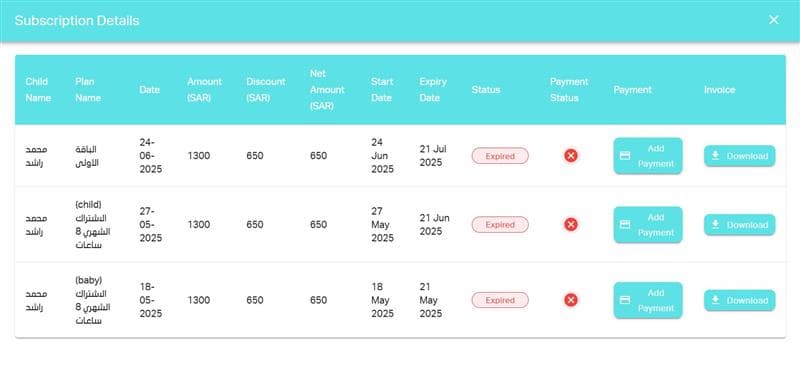
Subscription Plans
Flexible plans to suit every family's childcare needs.
Flexibility
Daily/weekly/monthly
Promotions
Discounts & vouchers
Billing
Simplified tracking
Families
Custom plans
Portal Settings Overview
Our Portal Settings allow administrators to control what each type of user (Teacher, Nanny, or Guardian) can access and do within the portal. This helps ensure a streamlined experience tailored to each role's responsibilities.
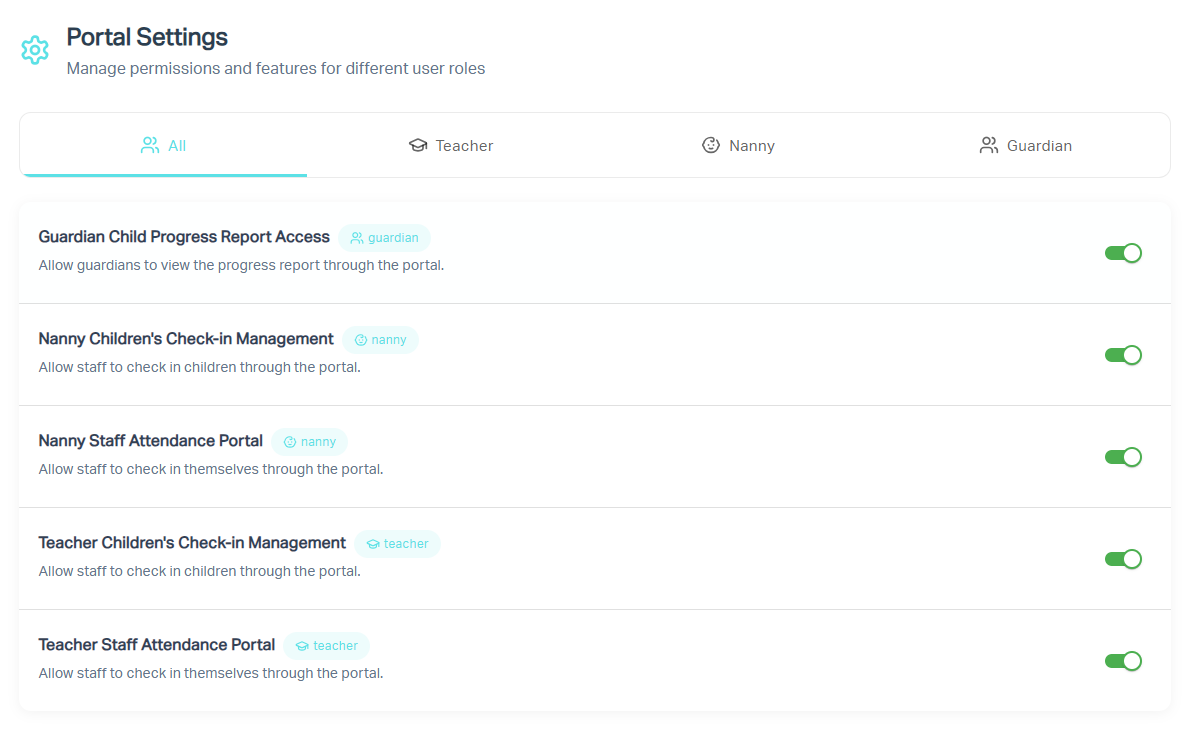
Preview: Portal Settings UI
Guardian Child Progress Report Access
Enable or disable the ability for guardians to view their child's progress reports via the portal.
Nanny Children's Check-in Management
Allow nannies to check children in and out through the portal.
Nanny Staff Attendance Portal
Enable nannies to manage their own attendance (clock in/out) directly through the portal.
Teacher Children's Check-in Management
Allow teachers to handle student check-in/check-out processes.
Teacher Staff Attendance Portal
Enable teachers to record their own attendance within the system.
Guardian Messaging Access
Control whether guardians can send or receive messages through the portal messaging system.
Auto Reminder Settings
Manage which automated WhatsApp or Email reminders are sent to users. Reminders can be categorized by purpose and toggled on/off to match your communication needs.
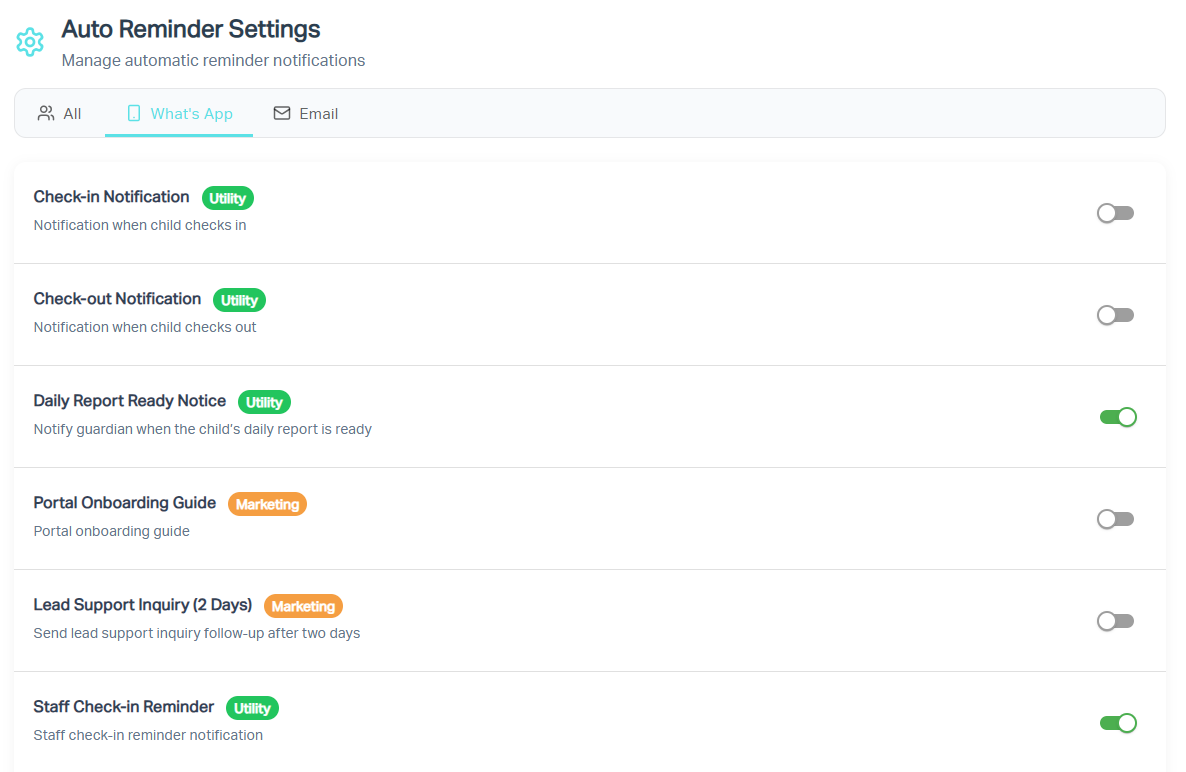
Preview: Reminder Settings UI
Check-in Notification
Sends a notification when a child checks in through the portal.
Check-out Notification
Sends a notification when a child checks out of the portal.
Daily Report Ready Notice
Notifies guardians when their child's daily report is ready for viewing.
Portal Onboarding Guide
Sends a welcome or onboarding guide to new users of the portal.
Portal Onboarding Guide
Sends a welcome or onboarding guide to new users of the portal.
Portal Onboarding Guide
Sends a welcome or onboarding guide to new users of the portal.
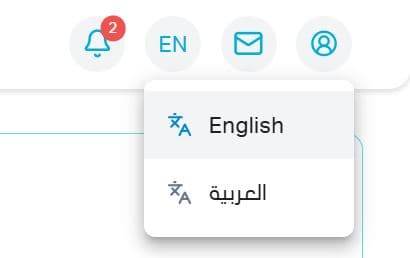
Multilingual Support
Accessible interface for all users regardless of language.
Bilingual
Arabic & English
Toggle
Seamless switching
Consistent
All features translated
Users
Staff & guardians
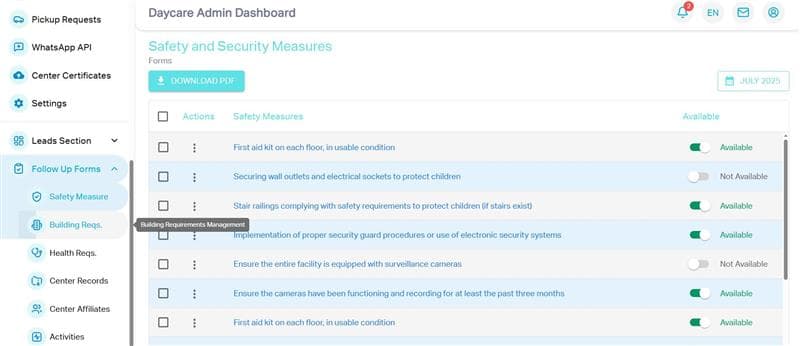
Compliance Forms
Manage all required documentation to meet regulatory standards.
Documents
Upload and track
Government
Certificates
Follow-ups
Safety checks
Organization
Audit-ready
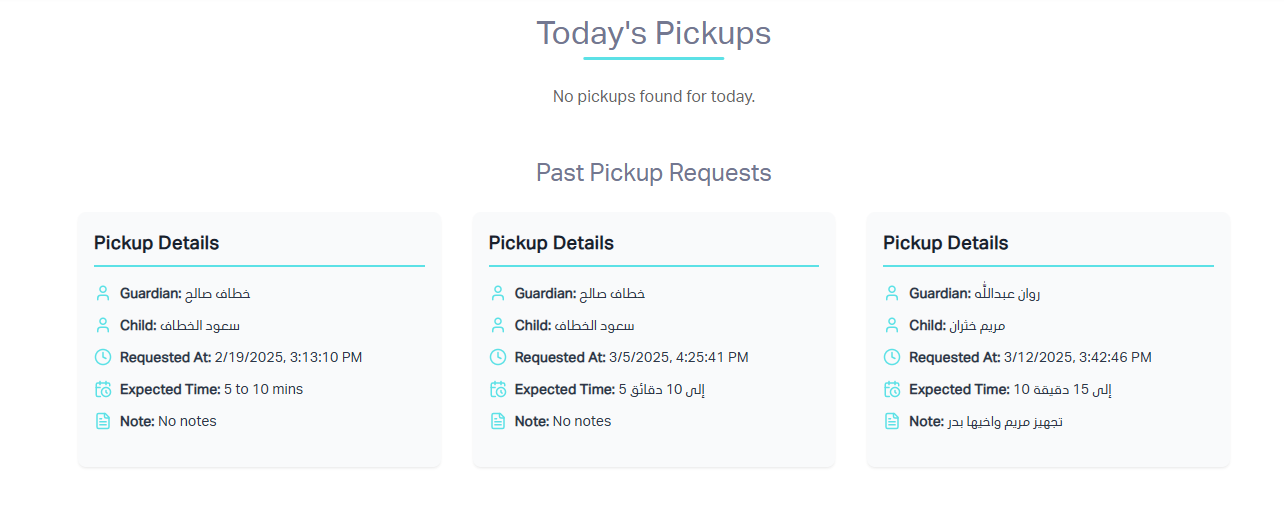
Pickup Requests Management
Our Pickup Requests page provides a centralized space where admins can view and manage all child pickup requests.
View All Pickup Requests
See every pickup request submitted by guardians.
Track Date & Time
Check scheduled pickup times.
Real-time Updates
Get notified of new requests.
Streamlined Process
Organized child dismissal.
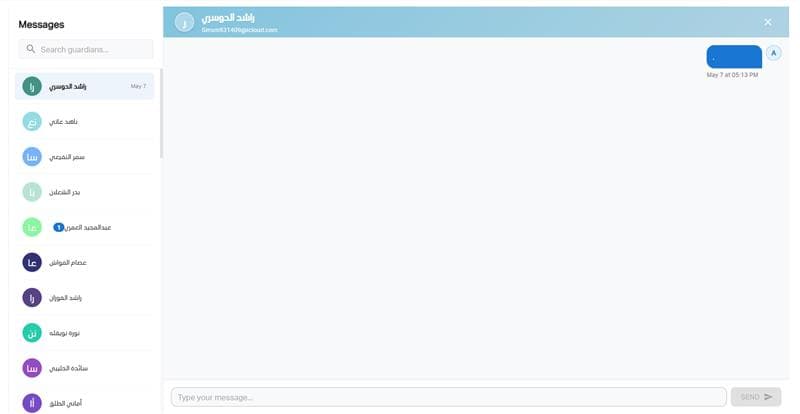
Seamless Chat Feature
Our built-in Chat page allows guardians to connect seamlessly with the center's staff including teachers, nannies, and admins all in one place.
One-on-One Messaging
Directly message staff regarding your child's care.
Talk to Teachers & Nannies
Stay informed about your child's daily activities.
Admin Communication
Reach out to admins for support.
Private & Secure
All messages are stored securely.